Choose a photo
Use a sharp, front-facing portrait with even lighting. Your country app provides its own photo guidance.
VISA PHOTO APPS FOR IPHONE & ANDROID
One tap crops your photo and replaces the background with white. Check the preview, photo dimensions and framing before paying for a JPEG export.
Find your country appFree processing & preview · Paid JPEG export
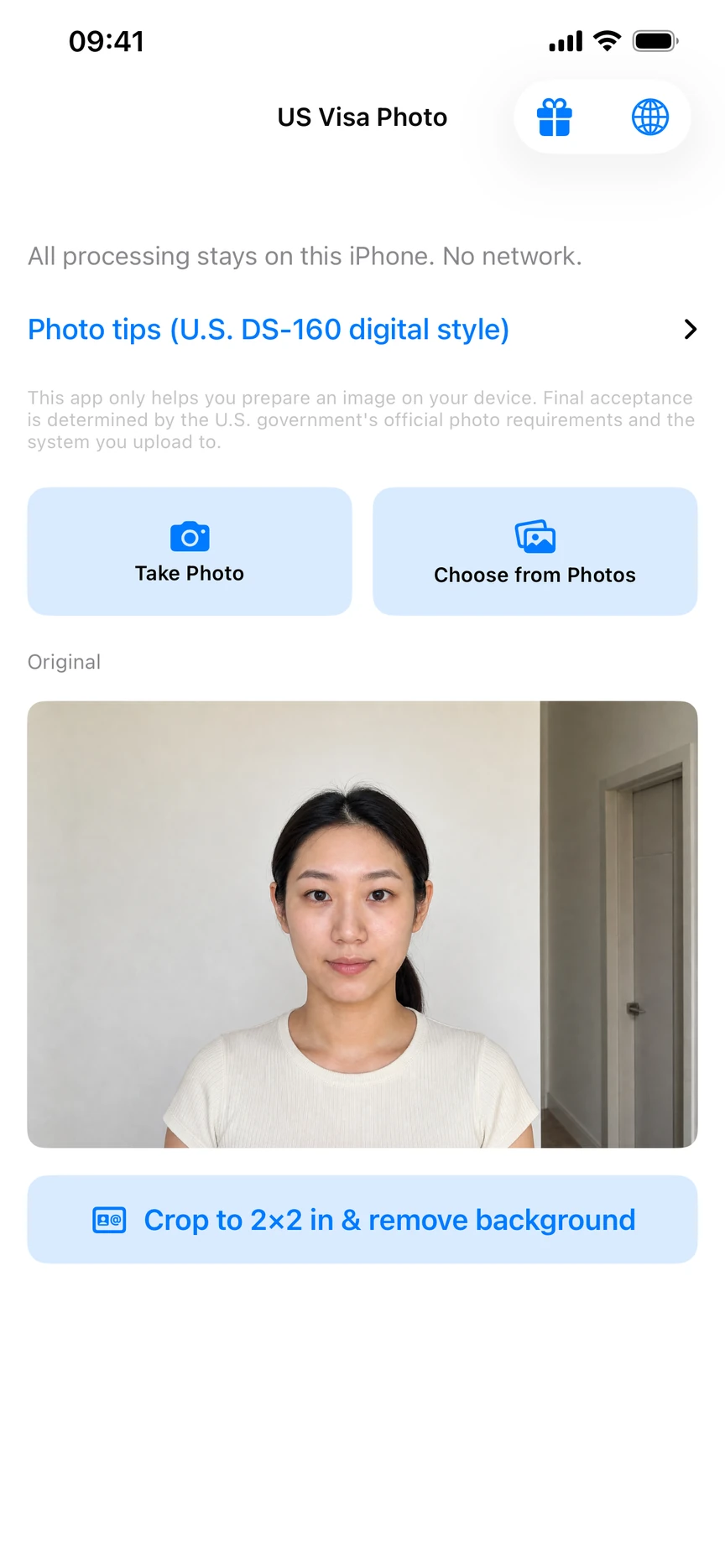
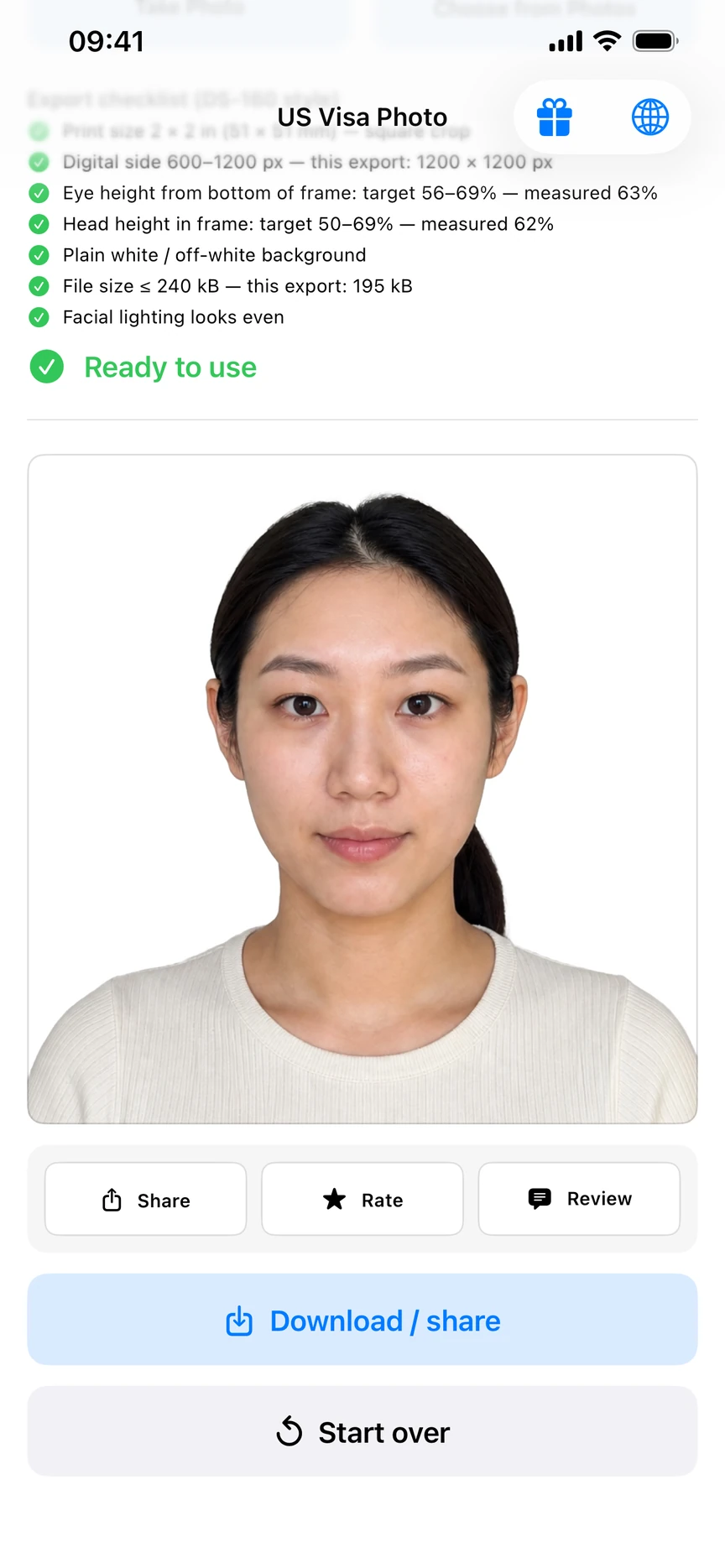
HOW IT WORKS
Use a sharp, front-facing portrait with even lighting. Your country app provides its own photo guidance.
The app crops and replaces the background. Review the preview and the file and framing information.
Processing, preview and retries are free. A purchase unlocks one JPEG export. See your store’s current local price.
CHOOSE YOUR APP
Each card shows the app for that destination and its available iPhone or Android downloads.
6 apps shown

iPhone · Android
Square photo preparation with file size, framing and lighting checks.


iPhone
A dedicated app for Chinese visa photo preparation.
iPhone
Photo preparation for your selected Schengen destination.
iPhone
A dedicated workflow for Indian visa photo preparation.
iPhone
Photo preparation with Japan-specific sizing options.
iPhone
A dedicated app for Canadian visa photo preparation.
Choose the app for your destination. Purchases belong to the app and platform where they were made.
PHOTO GUIDES
Dimensions, file limits, framing and the rules on editing.
Checks to make before trying another upload.
What is free, what you pay for and how your photo is processed.
More guides: China visa photo upload, DS-160 upload errors and taking a photo at home with a phone
QUESTIONS
It is a family of independently listed photo preparation apps. Pick the app for your destination to crop a portrait, replace the background and review photo information before a paid JPEG export.
The US app has both App Store and Google Play downloads here. Select Android above to find it. The other destination cards link to their iPhone listings and app websites.
Portrait processing runs on your device, with no portrait upload to our servers. The app stores handle purchases. Android Google SDKs may send diagnostic data. Read the privacy policy for your app and platform on its website.
Open your country’s app website and choose Support. For the US app, visit US support, the iPhone policy or the Android policy.